
AI email writer
Describe the campaign in a sentence and get a subject and a friendly, plain-text email with merge tags already in place. Rewrite it shorter, friendlier, more formal or in another language with one click.
Chrome extension for Gmail · free during beta
Mass Email writes your campaign with AI, fills in each person's details from Google Sheets or CSV, and sends one email at a time from your Gmail, paced safely and checked before anything goes out.
Features
Write once, send to hundreds, and every email still reads like you wrote it for that one person.
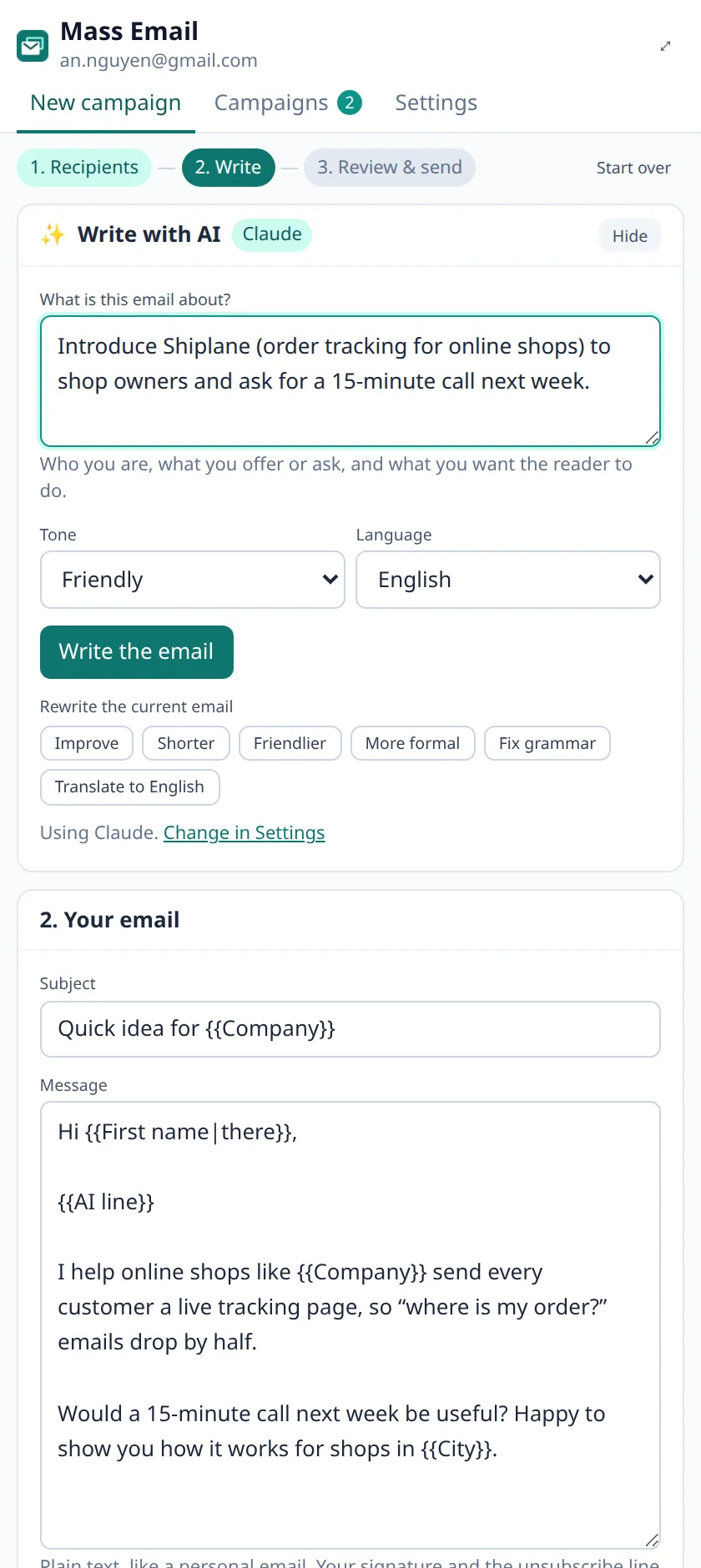
Describe the campaign in a sentence and get a subject and a friendly, plain-text email with merge tags already in place. Rewrite it shorter, friendlier, more formal or in another language with one click.
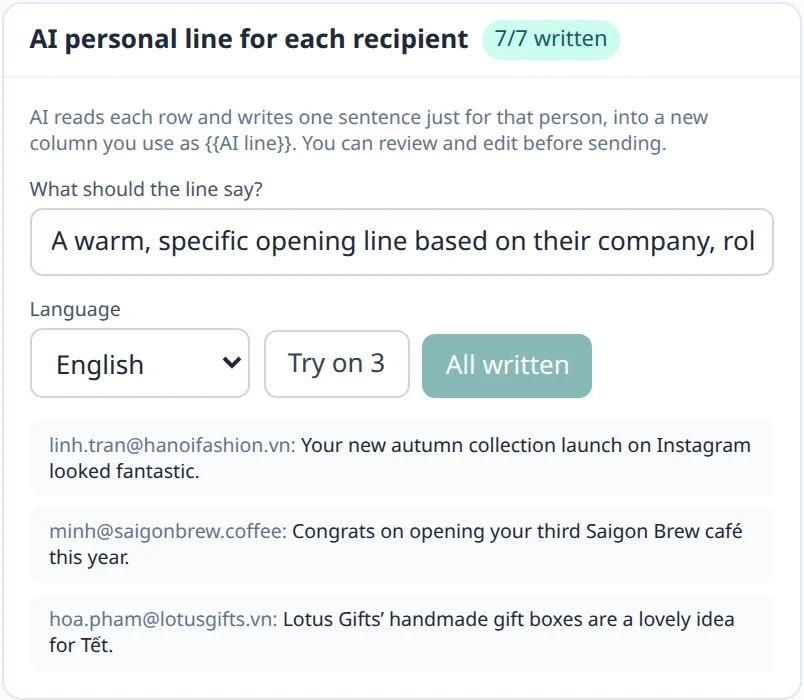
AI reads each row (company, role, notes) and writes one sentence just for that person. You review every line before anything is sent.
Paste from Google Sheets or Excel, upload a CSV, import a Sheet link, or collect addresses from a web page. Every column becomes a tag like {{First name|there}}.
Empty or unknown tags, identical emails, spam-trigger words, shouting subjects, too many links and a missing unsubscribe line are flagged before the first email goes out.
One email at a time with a random pause, under Gmail's daily limit. Big lists simply continue the next day, and Gmail quota errors pause the campaign instead of failing it.
There is no Mass Email server. Your lists, drafts and campaigns stay in your browser, and Google's permission covers sending only: Mass Email cannot read your inbox.
How it works
Mass Email opens in Chrome's side panel next to Gmail, so you never leave your inbox.
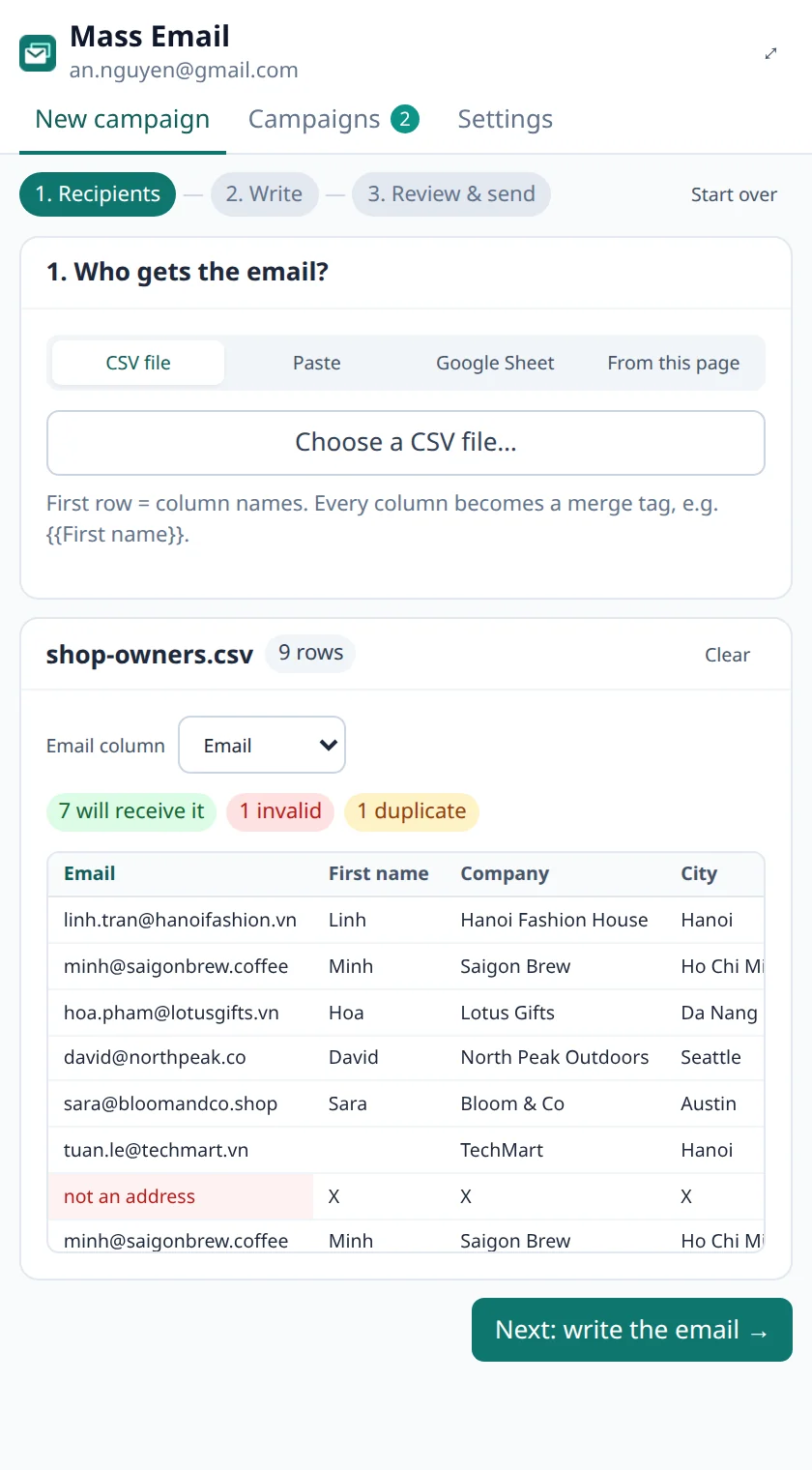
Upload a CSV, paste rows from Google Sheets or Excel, or import a Sheet link. Mass Email finds the email column and removes invalid addresses, duplicates and people who unsubscribed.
Let AI draft the email from a short brief, then add a personal opening line for each recipient. Merge tags fill in names, companies and cities, with fallbacks for empty cells.
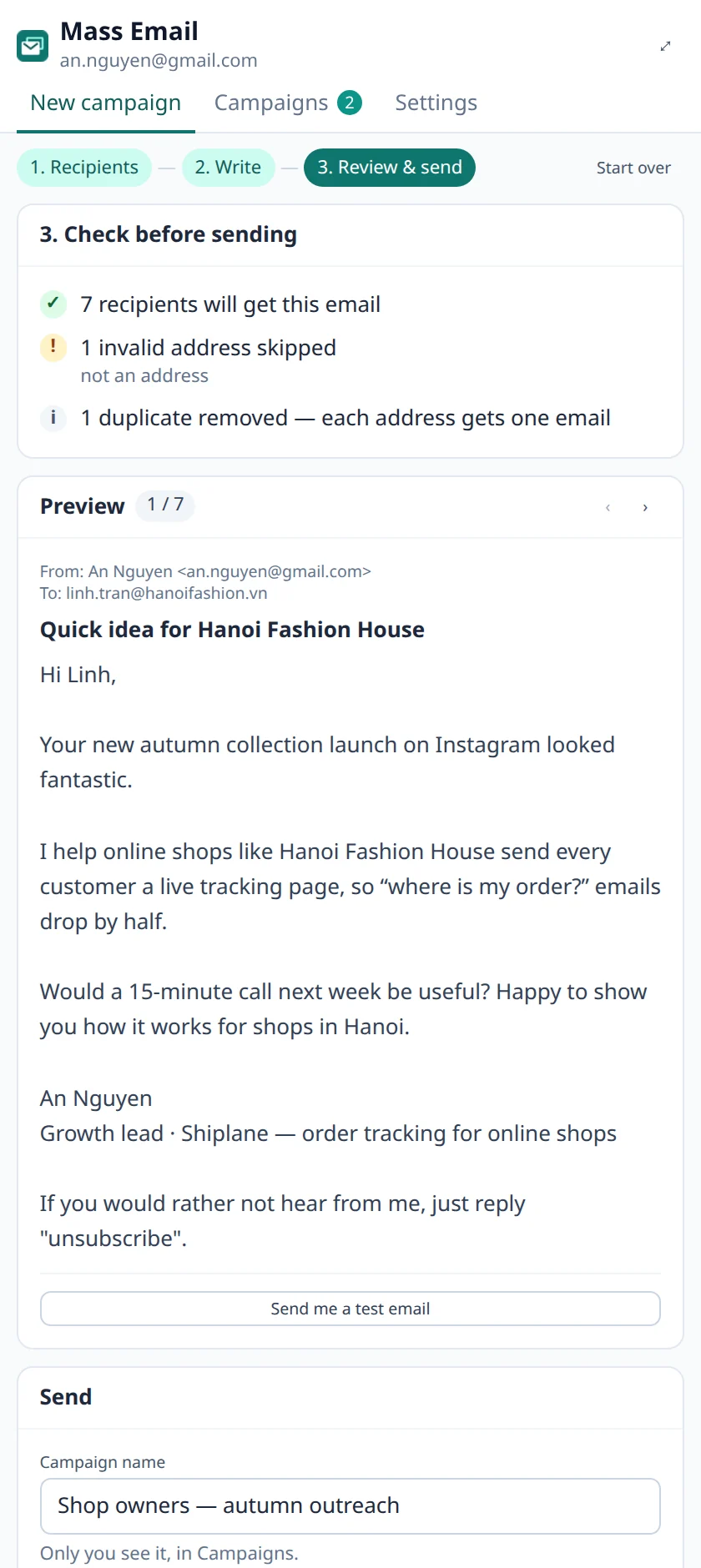
Read every email exactly as each person will get it, send yourself a test, then start now or schedule for later. Sending keeps going with the panel closed.
Campaigns
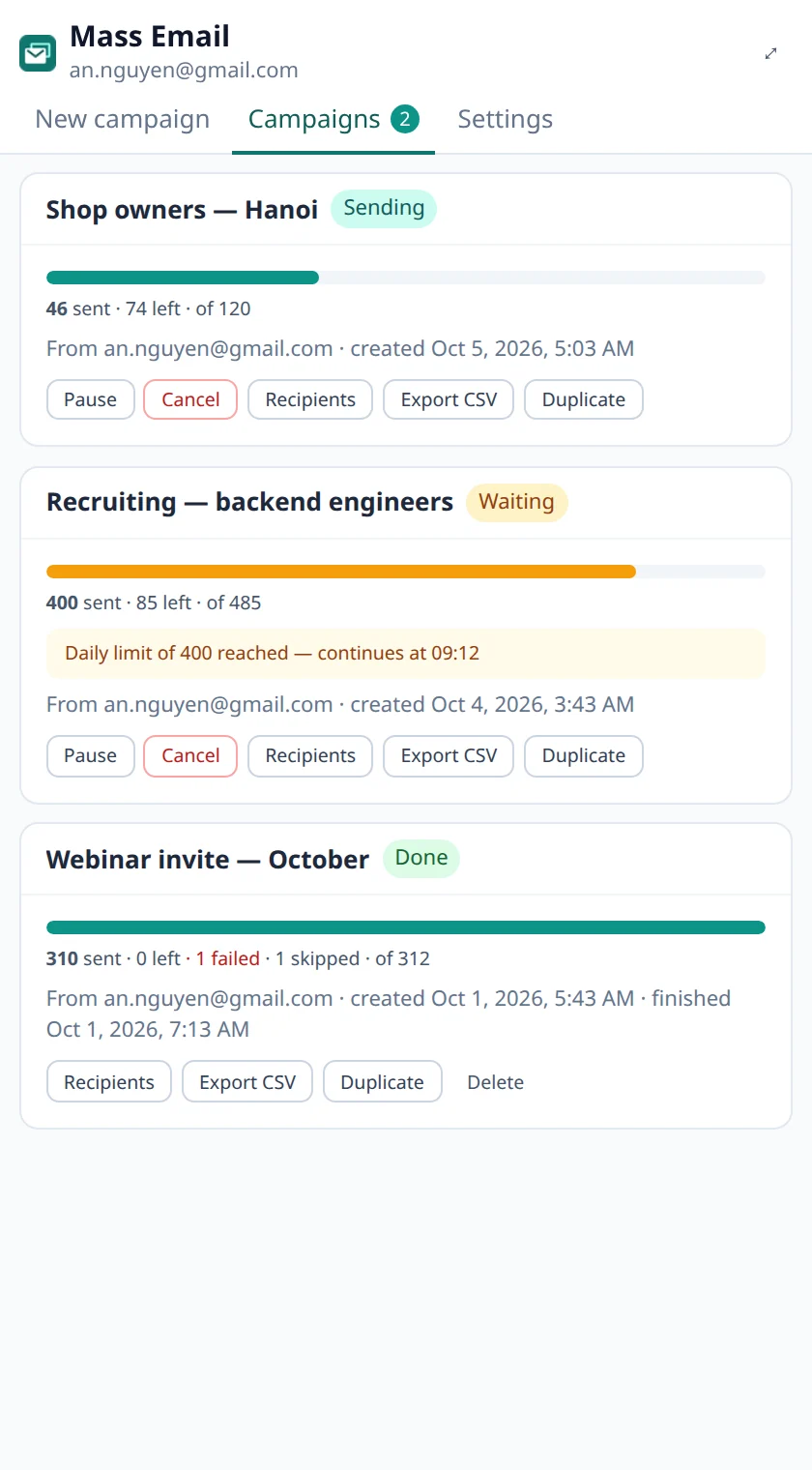
Campaigns run in the background, one email at a time. When the day's limit is reached they wait and continue on their own; if Gmail pushes back, they pause instead of failing.
AI
Both write plain, human-sounding emails and keep your merge tags intact.
Pricing
No credit card, no account. Pro features are on the way.
Free
$0
during the beta
Pro
Coming soon
everything in Free, plus
FAQ
Yes. Everything on this page except the "coming soon" features is free while Mass Email is in beta. With Chrome's built-in AI the writing is free too; with Claude you use your own Anthropic API key.
No. Mass Email asks Google for permission to send email as you (the gmail.send scope) and to see your email address. It has no permission to read, search or delete anything in your mailbox.
Gmail allows about 500 emails a day from a personal account and 2,000 from Google Workspace. Mass Email stays below that by default (400 and 1,500) so normal email still gets through. Larger lists continue automatically the next day.
Each email is sent one by one from your own Gmail, personalized and in plain text, which looks like normal email to spam filters. The checks before sending warn about the usual problems (spam words, identical emails, too many links, no unsubscribe line). Only email people who expect to hear from you.
Two choices: Chrome's built-in AI, which runs on your computer so nothing leaves it, or Claude by Anthropic with your own API key. With Claude, the brief and the rows you personalize are sent to Anthropic to write the text.
In your browser, on your computer. There is no Mass Email server or account: lists, drafts and campaign history stay in Chrome's local extension storage and are removed when you uninstall.
Yes, with any Gmail or Google Workspace account signed in to Chrome. Workspace accounts get the higher daily limit automatically.
Every email can end with a short "reply unsubscribe" line and carries an unsubscribe header that Gmail shows as an Unsubscribe link. Add those addresses to your unsubscribe list and every future campaign skips them.
Yes. The AI writes and translates in Vietnamese, English, Spanish, French, Japanese and more, and emails are sent in UTF-8 so accents and emoji arrive intact.
New to mail merge? Read the step-by-step guide to sending mass email from Gmail.
Free, private, and it sends from the Gmail you already use.